


smarttag samsung
3.825.00 Reviews
App Specs
- Version
- 32.0
- Updated On
- License
- Free
- Downloads
- 50,000+
- Developer
- DTFHM
- Categories
- Libraries & Demo
- Platform
- Android
Screenshots
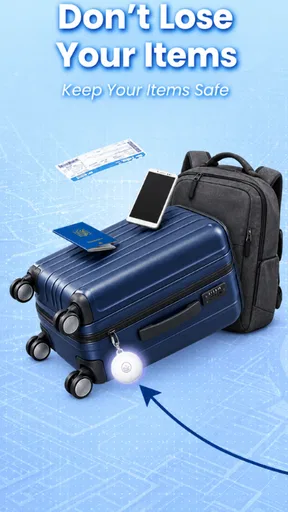
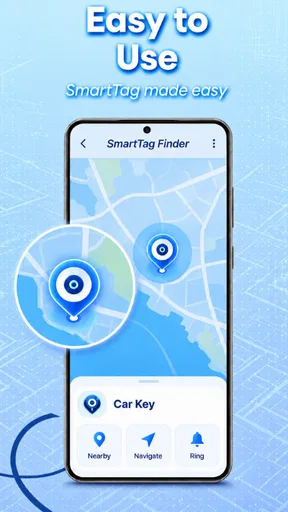
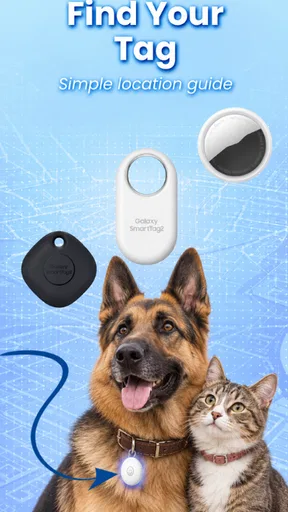
 Analysis by AppCompare
I judge a tracking app less by how reassuring its pitch sounds and more by what I can actually check before relying on it. With SmartTag Samsung, the useful question is whether the companion app fits the way you already use your phone and whether its location information is enough for the moments when you need it. It is a free app from DTFHM in the Libraries & Demo category, with an Everyone age rating, but those labels alone do not tell you how it will fit into your routine.
What the app can—and cannot—settle
The app’s role is to connect with Smarttag devices and help you find them. That is a focused job, not a general-purpose security service, and I would treat it as a way to help recover misplaced belongings rather than as a guarantee that an item can always be located. A tracker can be useful when it gives you a practical lead; it cannot make an out-of-range object appear nearby or remove the uncertainty of a real-world search.
That distinction matters most when deciding what to attach a tag to. For keys or a bag that tends to stay within your everyday orbit, a location reminder can save time. For something valuable that needs dependable, continuous oversight, I would not make this app the only safeguard. I’d keep ordinary precautions in place and regard tracking as one helpful layer, not a substitute for them.
Choose a routine before you depend on it
Before making a tag part of a daily habit, I would decide what I expect to do when something goes missing: open the app, check the available location information, and then search in the places that make sense. That small plan prevents a common frustration—assuming that a tracker will provide a live, precise answer in every situation. It also helps you notice whether the app is useful for your own patterns, rather than judging it by an idealized promise.
For example, if I often leave my keys in a different room, the app and tag may be useful for narrowing down the search. If I regularly leave them somewhere far away, the key question is whether the information available at that moment gives me a helpful next step. I would test that expectation with a low-stakes item first, before relying on it for something essential.
Getting Started with the SmartTag Samsung
First off, let’s talk setup. If you’ve got a Samsung phone, you're halfway there. The SmartTag Samsung integrates seamlessly with the SmartThings app, which is essentially your command center for anything smart in your home. Pairing the SmartTag is as straightforward as it gets. Just open the app, tap ‘add device,’ and you’re basically done. It’s like magic, but without the rabbit.
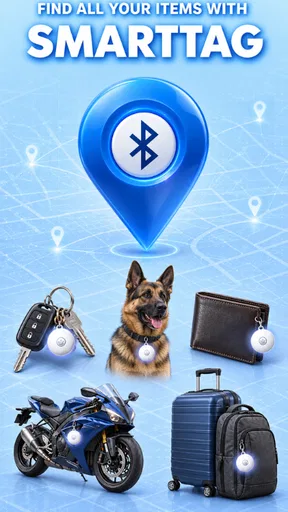
Once you’ve got it set up, you can attach the SmartTag to anything you’re prone to losing. There’s a handy little loop on the tag, perfect for slipping onto keyrings or attaching to a pet’s collar. And don’t worry about adding bulk; it’s small and light, so you’ll barely notice it’s there.
Worth Reading Before You Choose

EA SPORTS FC Mobile 26 Is a Bigger Football Game, but It Takes Time

Flipboard Shows What News Apps Must Do Beyond the Feed

Switching to Android Auto Means Rethinking Your Driving Routine

Google Calendar Makes a Crowded Week Easier to Manage

Ludo King Makes the Most of the Minutes Between Plans

Baby Panda World Brings Quick Play to Modern Phones, but Its Game Library Feels Busy
Features and Functionality
This isn’t just a one-trick pony, folks. Sure, its primary job is to help you locate lost items, but the SmartTag has a few tricks up its sleeve. Through the SmartThings app, you can see the last known location of the tag on a map. If it's within Bluetooth range (up to 120 meters), you can make it ring, which is super helpful if your keys are playing a game of hide and seek under the couch cushions.
What really sets the SmartTag apart is its ability to control other smart devices in your home. You can set it up to turn on lights, TVs, or even start your coffee maker with a simple press of the tag. It's like having a tiny remote control for your life, and who doesn’t want that?
Performance in Real Life
Okay, so it sounds good on paper, but how does it hold up in the chaos of daily life? Pretty darn well, actually. The range is impressive, and the app’s user-friendly interface means I can find my stuff without pulling my hair out. The ringing feature is loud enough to hear across a room, but not so loud it’ll startle the cat (important).
Battery life is another win. The SmartTag uses a standard replaceable battery, so you won’t have to worry about charging it constantly. Samsung claims it’ll last for months, and so far, mine’s still going strong.
Some Things to Keep in Mind
Now, while the SmartTag is a handy tool, it’s not without its quirks. The range is limited to Bluetooth, so if you left your keys at the office and you’re at home, you’ll only see their last known location. Also, it’s worth noting that the SmartTag is primarily designed for Samsung devices. It does work with some other Android phones, but don’t expect full functionality if you’re an iOS user.
How it compares with other ways to find things
I see this as a narrower choice than a phone’s built-in location tools or a broad smart-home dashboard: its appeal is the pairing of a tag with an app for misplaced objects, with the SmartThings connection adding another use. A phone-only solution cannot help much when the phone itself is the missing object, while a tag-based setup makes sense when the item you repeatedly lose can carry one. The trade-off is that a tag does not replace a broader tracking system for every device or every phone platform.
For a Samsung household already using SmartThings, the extra control use can make the tag feel less like a single-purpose accessory. If you mainly use an iPhone, or need a tracker that works consistently across a mixed set of phones, I would compare platform compatibility before choosing. The app’s 3.8 average from around 550 ratings suggests a mixed rather than universally enthusiastic reception, so I would go in with practical expectations instead of assuming every setup will feel effortless.
A small test can prevent a big annoyance
One useful habit is to try the finding process while the item is still in its usual place. Learn where the location appears, how you trigger the sound, and what the app shows when you are close enough to search by ear. That way, when you are rushing out the door, you are not trying to learn the controls and find your keys at the same time. It is a simple test, but it tells you whether the workflow feels natural on your own phone.
I would also choose the tag’s home deliberately. Keys often have a predictable landing spot, while a bag moves between rooms, cars, and public places. Attaching a tracker is most useful when it stays with the item and you remember which belongings are tagged. A tag left in a drawer, or moved between several items without updating your mental map, adds little value.
For a realistic morning, imagine I am about to leave and cannot see my keys. If they are somewhere nearby, opening the app and making the tag ring offers a clear next move. If I left them elsewhere, the last known location can help me decide whether to retrace my route or call the place I visited. It does not remove the need to act on that clue, but even a useful starting point can make the search less scattered.
Trust, privacy, and what to check
Because location is involved, I would make a point of reviewing the app’s permission prompts and the choices presented on my own device before pairing a tag. I would not grant access automatically just because setup is convenient. Look at what the phone asks to share, decide which access is necessary for the way you plan to use the app, and revisit those choices if your use changes. That is a more grounded approach than treating any tracker as inherently private or inherently invasive.
The same care applies when the tag is attached to something carried by another person. A tracker intended for your own belongings is not a substitute for consent or a conversation about location. I would avoid using it to monitor someone without their knowledge, and I would be particularly careful with a pet: a tag may help identify where an animal has gone, but it is not a replacement for secure equipment, supervision, or a plan for getting the animal home.
The app has reached over 50,000 installs and is currently version 32.0. Those figures can help set expectations about its scale and current release, but they do not answer personal questions about permissions or account settings. I would inspect the controls visible during setup and in the phone’s app settings rather than assume that a particular privacy option exists. If you are uncomfortable with what you see, it is reasonable not to connect a tag.
Who will get the most from it
I’d recommend considering this app if you use a compatible Samsung setup, own a Smarttag device, and want a straightforward way to check for belongings that tend to go missing around home or during an ordinary commute. It is especially appealing when the same tag can also serve a SmartThings control routine you already care about. In that case, you are not relying on the app for just one occasional search.
I would skip it if you do not have a Smarttag, depend on an iPhone, or expect a tracker to provide a guaranteed live position regardless of distance and circumstances. It is also not the right fit if you want a cross-platform solution without first checking how well your devices work together. The app is free, but the usefulness of the setup depends on having the matching tag and a compatible phone environment; free software does not make those practical requirements disappear.
Final Thoughts
In summary, the SmartTag Samsung is a solid investment for anyone who wants to keep track of their belongings without fuss. Its integration with the SmartThings app makes it more than just a tracker; it’s a gateway to a smarter home. While it’s not perfect, especially if you’re outside of the Samsung ecosystem, it definitely makes life a little easier and a lot less stressful. So, if you’re the type to misplace things as often as I do, the SmartTag might just become your new best friend.
In the end, it’s not just about finding lost items; it’s about peace of mind. And really, can you put a price on that?
Pros
- Easy to set up and connect to devices.
- Compact design makes it highly portable.
- Long-lasting battery life for extended use.
- Seamless integration with Samsung SmartThings.
- Accurate location tracking with precise updates.
Cons
- Limited compatibility outside Samsung ecosystem.
- Requires Samsung account for full functionality.
- Range can be limited in dense environments.
- Not waterproof
- vulnerable to weather conditions.
- No built-in speaker for alerts or notifications.
FAQs for smarttag samsung
What is the Samsung SmartTag and how does it work?
The Samsung SmartTag is a small, portable device designed to help you track and locate items such as keys, bags, or even pets. It works by connecting to your smartphone via Bluetooth and using the SmartThings app to display the tag's location on a map. If you're within Bluetooth range, you can make the tag emit a sound to help locate it quickly.
How do I set up my Samsung SmartTag?
To set up your Samsung SmartTag, first ensure your smartphone has Bluetooth enabled and the SmartThings app installed. Open the app, tap 'Add Device', and select the SmartTag from the list. Follow the on-screen instructions to pair the tag with your phone. Once paired, you can name the tag and assign it to specific items.
What is the battery life of the Samsung SmartTag, and can the battery be replaced?
The Samsung SmartTag offers a battery life of up to 300 days, depending on usage. It uses a replaceable CR2032 coin cell battery, which you can easily swap out when needed. Simply open the back cover of the SmartTag to replace the battery, ensuring continuous tracking without interruption.
Is the Samsung SmartTag compatible with non-Samsung devices?
While the Samsung SmartTag is primarily designed to work seamlessly with Samsung Galaxy smartphones, it may have limited functionality with non-Samsung devices. The SmartThings app, crucial for full functionality, is available for Android and iOS, but certain features might be restricted if you are not using a Samsung phone.
Can I use multiple SmartTags at the same time, and how do I manage them?
Yes, you can use multiple Samsung SmartTags simultaneously. Each tag can be individually named and managed through the SmartThings app. This allows you to track multiple items at once. Simply add each tag to the app, and you can monitor and control each one from the app's dashboard, making it easy to keep track of all your belongings.


